How to Add Schema (Structured Data) to Shopify for SEO and AI
Published June 9, 2026
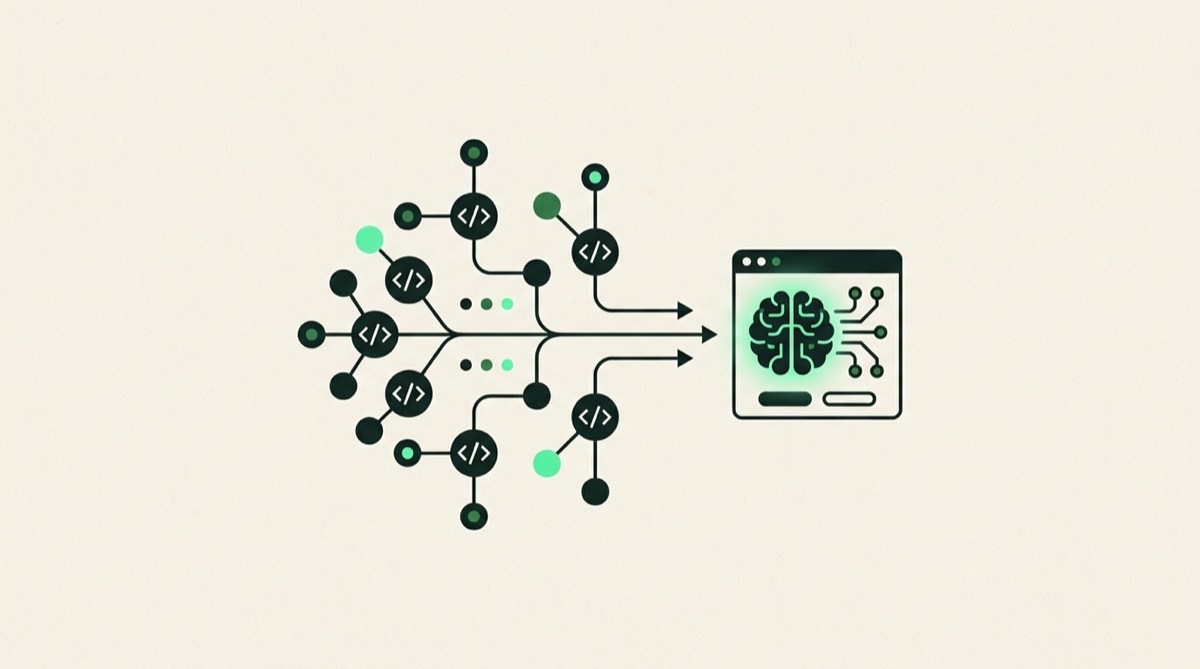
Short answer: You add schema to Shopify by injecting JSON-LD blocks into your theme's Liquid templates, using Shopify metafields to supply structured values, or installing a schema app. Getting this right earns Google rich results for your products and gives AI engines like ChatGPT and Perplexity the clean, machine-readable entity data they need to cite your store in generated answers.
Structured data is the layer of your Shopify store that search engines and AI engines can read without guessing. JSON-LD schema tells Google, ChatGPT, and Perplexity exactly what a page is about, who sells the product, what it costs, and what customers say about it. Get it right and you unlock rich results in Google Search. Get it complete and you become a clean, citable source for AI-generated shopping answers.
This guide covers what Shopify gives you by default, where the gaps are, which schema types to prioritize, how to add or improve them, and how to validate the result.
What Schema and JSON-LD Actually Are
Schema markup is vocabulary from schema.org, a shared standard supported by Google, Microsoft, and Yandex. JSON-LD (JavaScript Object Notation for Linked Data) is the recommended format for embedding that vocabulary. You drop a single <script type="application/ld+json"> block into the page, and it describes the page’s entities in structured key-value pairs.
A well-marked-up product page tells Google not just that the page mentions a price somewhere, but that the price is a specific amount in a specific currency, the item is in stock, the brand is a named entity, and it has verified reviews. That specificity is what triggers rich results and what gives AI engines enough confidence to cite your store.
What Shopify Themes Include and Where the Gaps Are
Most modern Shopify themes (Dawn and its descendants) output some structured data automatically. You typically get a basic Product block on product pages and an Organization block on the homepage. The reality is more complicated.
The most common gaps are:
Incomplete Product schema. Many themes omit aggregateRating because Shopify does not expose review data in a schema-friendly format by default. Common missing fields also include sku, gtin13, mpn, and a properly nested brand entity.
No BreadcrumbList. Collection pages are often missing breadcrumb schema even when visual breadcrumbs render in the theme. Without it, Google and AI engines must infer your catalog hierarchy from URL structure alone.
No FAQPage schema. Guides and landing pages that answer common questions rarely have FAQPage schema, which leaves structured AI-ready answer blocks sitting in your content unmarked.
Thin Organization schema. The homepage Organization block often includes only name and url. Missing logo, sameAs, and description reduce how confidently AI models can identify your brand as a distinct entity.
The only way to know what your theme outputs is to validate it directly.
The Four Schema Types to Prioritize
Product
Every product page needs a complete Product block. The must-have fields are name, description, image, sku, brand (as a nested Brand entity with a name), and an offers block containing price, priceCurrency, availability, and url. If you have review data, add aggregateRating with ratingValue and reviewCount. If you have GTINs or MPNs, include them.
Organization
Add one Organization block to your site-wide layout so it appears on every page. Include name, url, logo (as an ImageObject with url and dimensions), description, and sameAs as an array of URLs pointing to your Google Business Profile, social media accounts, and any major directory listings. This block is the primary signal AI engines use to build a picture of your brand as a named entity.
BreadcrumbList
Add BreadcrumbList to every collection and product page. Each ListItem in the breadcrumb should have a position, name, and item (the URL). This helps both Google understand your catalog hierarchy and AI engines understand what category a product belongs to.
FAQPage
Any page on your store that answers a list of questions is a candidate for FAQPage schema. This includes size guides, shipping FAQ pages, product comparison guides, and buying guides. Each Question block needs an acceptedAnswer with the answer text. Keep answers factual and specific. These blocks are a direct input for AI answer generation.
How to Add or Improve Schema on Shopify
There are three main paths, and the right one depends on your technical comfort and how many gaps you have.
Edit theme Liquid templates. Shopify themes render schema by outputting JSON-LD from a snippet (often named product-schema.liquid or structured-data.liquid). Open the relevant file and add missing fields. This gives you full control. Document your changes because theme updates can overwrite them.
Use Shopify metafields to supply missing data. For fields like GTIN or MPN that do not exist in standard Shopify product fields, metafields let you store the values and reference them in your Liquid schema output using {{ product.metafields.custom.gtin }} or similar.
Install a schema app. Apps like Schema Plus for SEO and others in the Shopify App Store inject or override structured data without requiring theme edits. The trade-off is an ongoing subscription and less granular control. Validate what the app outputs after installation rather than assuming it is complete.
For most stores with meaningful structured data gaps, theme edits for core schema types combined with metafields for product identifiers is the most durable approach.
How to Validate Your Schema
Never assume your schema is correct after adding it. Use two tools in combination.
Google’s Rich Results Test (search.google.com/test/rich-results) shows which rich result types Google can parse and flags errors or warnings. Run your homepage and a product page template through it first.
Schema.org Validator (validator.schema.org) checks conformance to the broader specification and surfaces issues the Rich Results Test ignores because they do not affect Google but may affect AI crawlers.
Common errors: missing required fields, price as a string instead of a number, availability values that do not match the schema.org vocabulary, and image URLs returning a 404.
The GEO Angle: Why Schema Is an AI Citation Lever
AI engines do not just crawl text. They weight pages where entities are clearly labeled. A product page with complete Product schema, a named Brand, and accurate aggregateRating gives a model like ChatGPT or Perplexity enough structured signal to confidently cite your store when a shopper asks a relevant question.
The RankClarity SEO and GEO audit treats structured data as a GEO signal, not just an SEO one, because the same JSON-LD block that earns a Google rich result also makes your store a cleaner citation source for AI-generated answers. Clean Organization schema with sameAs links ties your Shopify store, your Google Business Profile, and your social profiles together as one verified entity. Ambiguity kills citations. The GEO fundamentals page covers what else it takes to appear in AI-generated answers.
What to Do Next
Start with the Rich Results Test on your homepage and a product page. Compare what Google finds against the field lists above. Fix the highest-value gaps first: complete Product schema with brand and reviews, site-wide Organization with sameAs, and BreadcrumbList on collection pages. Add FAQPage to content pages that answer common questions. Validate after every change.
Frequently asked questions
Does Shopify add schema automatically?
Most Shopify themes include basic Product and Organization schema out of the box, but it is often incomplete. Common gaps include missing aggregateRating, incomplete offers data, no BreadcrumbList on category pages, and no FAQPage schema on content pages. You should validate what your theme actually outputs rather than assuming it is sufficient.
What schema types matter for an ecommerce store?
The four highest-priority types are Product (with nested offers, brand, and aggregateRating), Organization (site-wide, covering your brand identity), BreadcrumbList (on category and product pages to communicate catalog structure), and FAQPage (on landing pages and guides where you want AI-ready answer blocks). LocalBusiness is also worth adding if you have a physical presence.
Does schema help with AI search (GEO)?
Yes. AI engines like ChatGPT, Perplexity, and Google AI Overviews parse structured data to understand exactly what your store sells, who it is, and what customers say about it. Clean, complete schema reduces ambiguity, which makes it more likely that an AI model picks your store as a citation when answering a shopping question rather than a competitor with better-labeled data.
Free download: The Ecommerce SEO + GEO Checklist
A practical checklist to get your store found on Google and cited by ChatGPT, Perplexity and AI Overviews.
Want this done for your store, with a prioritized 90-day roadmap?
Get your SEO + GEO audit